

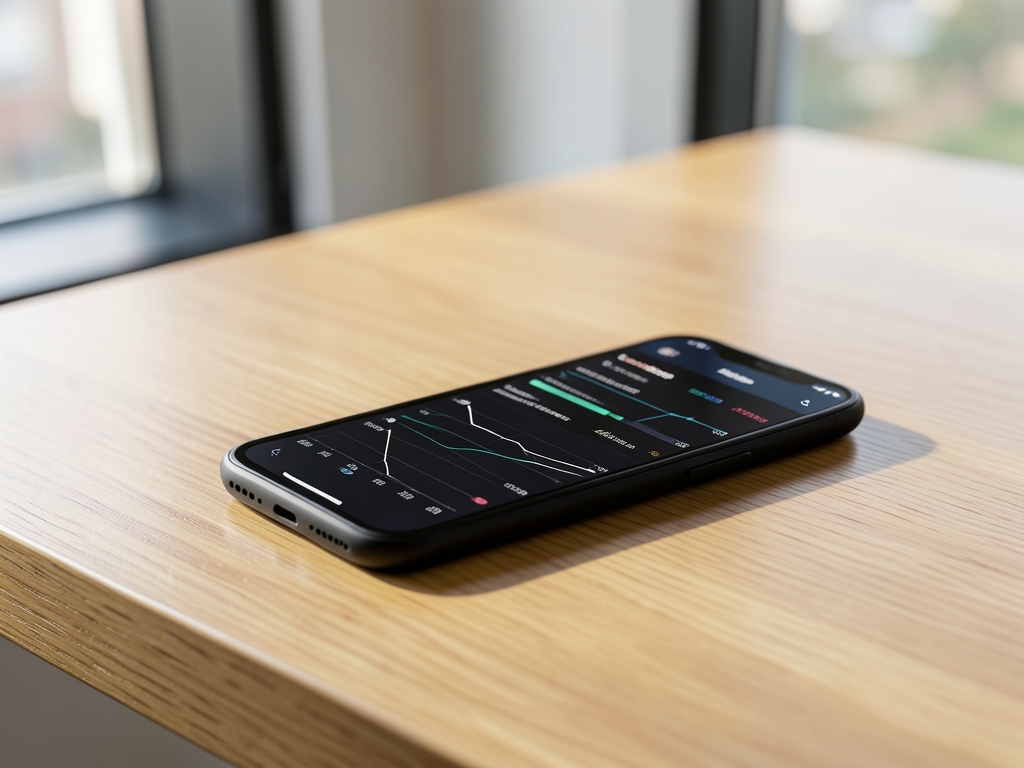
The mobile application landscape continues to expand with specialized utility platforms designed to bridge decentralized network architectures and consumer devices. Among recent developments, the introduction of the Zenora App for Android marks a significant operational milestone for users engaging with node management systems and digital asset ecosystems. As mobile processors become increasingly powerful, developers are shifting complex computational tasks directly to pocket-sized hardware, enabling participants to interact with distributed ledgers and network nodes without relying exclusively on desktop infrastructure. This release brings a suite of structural enhancements aimed at streamlining user participation, enhancing synchronization speeds, and providing clearer visibility into token dynamics and node performance metrics.
Understanding the architectural foundation of the Zenora App requires looking closely at how modern Android software handles background operations and secure data transmission. The platform has been engineered to optimize resource allocation, ensuring that persistent node activities do not compromise overall device longevity or excessively drain battery reserves. For everyday users and technology enthusiasts interested in exploring decentralized mobile tooling, accessing the verified software distribution channel remains the primary step before beginning configuration.
Download Zenora App for Android
Core Features of the Zenora Android Release
The latest Android application rollout introduces several core features designed to simplify complex network participation. Chief among these is the revamped node dashboard, which presents real-time synchronization status, network latency measurements, and operational uptime in a unified interface. Users no longer need to rely on command-line interfaces or external monitoring tools to track their node's health. Instead, intuitive graphical widgets provide immediate feedback regarding connection stability and data throughput.
Additionally, the software integrates advanced cryptographic security protocols to safeguard private keys and operational credentials. By leveraging hardware-backed keystores available in modern Android operating systems, the application ensures that sensitive data remains isolated from potential threats residing in the broader application ecosystem. The inclusion of granular notification controls allows operators to receive instant alerts regarding network events, disconnection warnings, or synchronization milestones without experiencing notification fatigue.
Node Rollout Mechanics and Technical Requirements
Deploying a node through a mobile interface involves careful management of network bandwidth and local storage resources. The Zenora App manages this complexity through an automated provisioning system that assesses device specifications upon initial installation. Devices equipped with multi-core processors and sufficient free internal storage are automatically configured to handle standard node duties, whereas older hardware may operate in a lightweight validation mode to preserve system responsiveness.
To achieve optimal performance, the development team recommends running the application on devices operating on recent iterations of Android with a minimum of 4GB of RAM and a stable high-speed internet connection, preferably unmetered Wi-Fi. Continuous cellular data utilization during heavy synchronization phases can rapidly deplete monthly data allowances, making local network connectivity a crucial factor for sustainable long-term operation.
System Compatibility and Hardware Guidelines
- Supported Operating Systems: Android 12.0 and newer versions.
- Minimum RAM Requirement: 4GB (8GB recommended for full node participation).
- Storage Space: At least 2GB of available internal storage for initial blockchain state caching.
- Connectivity: Unmetered broadband Wi-Fi connection recommended for seamless data synchronization.
Token Dynamics and Network Engagement
A central point of discussion surrounding the Zenora platform involves the economic implications of the recent node rollout on the native ZNR token. As more participants deploy active nodes via the Android application, the aggregate network security and decentralization index improve correspondingly. Market analysts and community members closely monitor how expanded node distribution influences liquidity patterns and price stability across supported trading pairs.
While token valuations in digital asset markets remain inherently volatile, fundamental network utility—driven by active participation rather than speculative trading alone—often provides a more stable baseline for long-term project viability. The application provides transparent reporting tools that allow users to track token-related metrics directly within the user interface, ensuring complete clarity regarding operational rewards and network participation incentives.
Step-by-Step Installation and Setup Guide
Installing the Zenora App on an Android device follows standard application deployment procedures, though additional configuration steps are required to initialize node operations. Following official distribution channels guarantees that users receive authentic, untampered software packages free from malicious modifications.
- Navigate to the official Google Play Store or verified developer distribution portal using your Android device.
- Search for 'Zenora App' and verify that the publisher details match the official developer entity.
- Tap the installation button and wait for the application package to download and install automatically.
- Open the application from your device app drawer and review the initial terms of service and privacy policies.
- Create a new secure account or import an existing cryptographic identity using your recovery phrase.
- Access the settings menu to configure your node preferences, select synchronization parameters, and monitor initial network connection status.
Info! Always ensure your device firmware is fully updated before initiating heavy node synchronization tasks to prevent unexpected system reboots or data corruption.
Security Best Practices for Mobile Node Operators
Operating a network node on a mobile device introduces unique security considerations that differ from traditional desktop environments. Because smartphones are portable and frequently exposed to public Wi-Fi networks, protecting the physical device and internal data storage is paramount. Users should always enable biometric authentication—such as fingerprint scanning or facial recognition—within the Zenora App settings to prevent unauthorized access if the device is misplaced.
Warning! Never share your cryptographic recovery phrase or private keys with anyone. Official support representatives will never ask for your recovery credentials under any circumstances.
Furthermore, maintaining regular backups of your account configuration files and keeping the Android operating system patched against security vulnerabilities helps maintain a robust defense posture against potential digital threats.
Is the Zenora App available on platforms other than Android?
Yes, the development team provides supporting desktop and web-based client interfaces, though the recent rollout specifically targets Android devices to expand mobile node accessibility.
Does running a node on the Zenora App cost money?
Downloading and installing the application is free, but participating in certain network operations or transaction validation protocols may require maintaining a minimum balance of native tokens or covering standard network fees.
How can I verify that I downloaded the official Zenora Android application?
Always download the app directly through official links provided by the developer website or verified app store listings, checking publisher credentials and user review authenticity before installation.
What should I do if my node synchronization stops unexpectedly?
Check your internet connection stability, ensure your device has sufficient free storage space, and restart the application. If the issue persists, consult the official community support forums for troubleshooting assistance.
In conclusion, the launch of the Zenora App for Android represents a notable step forward in making decentralized network participation more accessible to everyday mobile users. By balancing robust technical capabilities with user-friendly interface design, the platform bridges the gap between complex blockchain infrastructure and consumer hardware. As mobile devices continue to evolve in processing power and efficiency, applications of this nature will likely play an increasingly prominent role in distributed network ecosystems worldwide.
