

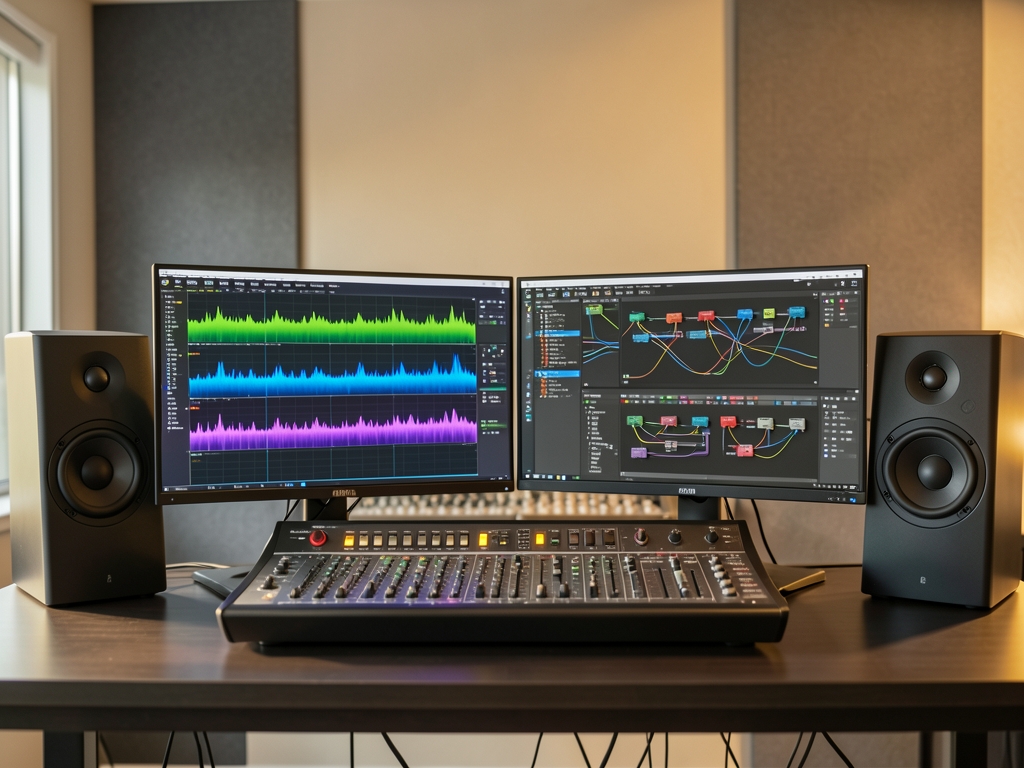
Music producers, sound designers, and audio engineers constantly search for versatile processing tools that can transform standard tracks into rich, immersive sonic landscapes. Finding reliable, high-quality audio plugins that do not stretch tight budgets remains a primary challenge for bedroom producers and professional studios alike. Recently, 13x Audio addressed this demand by releasing Colony, an innovative and entirely free six-effect audio plugin engineered for major desktop operating systems. This release has quickly captured attention across digital audio workstation environments for offering a comprehensive suite of creative processing options in a single unified interface.
Whether you are mixing electronic music, scoring independent films, or experimenting with ambient soundscapes, having access to flexible multi-effect processors streamlines your workflow significantly. In this comprehensive guide, we will explore everything you need to know about 13x Audio Colony, including its standout features, supported operating systems, hardware compatibility, and step-by-step instructions on how to download and install the plugin safely on your computer system.
Understanding 13x Audio Colony and Its Core Purpose
Colony is designed by 13x Audio as an all-in-one multi-effect processing unit that integrates six distinct audio manipulation modules into a single plugin instance. Instead of loading half a dozen individual plugins onto a single mixer channel—which can quickly exhaust your computer CPU resources—Colony consolidates essential creative processing into an efficient architecture. The software is built to handle everything from subtle tonal coloration and spatial enhancement to radical modulation and dynamic distortion.
The philosophy behind Colony centers on workflow speed and creative experimentation. By allowing producers to reorder effect modules on the fly and modulate parameters with internal LFOs and envelope followers, the plugin encourages unexpected sonic discoveries. This makes it an ideal tool for modern electronic music production, cinematic sound design, lo-fi beat making, and experimental audio art.
Furthermore, the developers have prioritized low CPU consumption, ensuring that even older laptops or desktop rigs can run multiple instances of Colony across complex mixing sessions without inducing audio buffer underruns or frustrating latency spikes. The streamlined user interface features clean vector graphics that scale smoothly across high-resolution Retina and 4K displays.
Detailed Breakdown of the Six Integrated Effect Modules
The defining characteristic of Colony is its powerful multi-effect architecture. Each of the six included modules offers dedicated controls while contributing to the cohesive signal chain. Understanding how these modules interact helps producers maximize the plugin potential.
- Saturation Module: Delivers analog-style warmth, tape compression, and hard-clipper overdrive to introduce harmonic richness and punch into sterile digital tracks.
- Modulation Module: Combines chorus, flanger, and phaser algorithms with tempo-synced rates to add width, movement, and cyclical depth to synths, guitars, and vocals.
- Spatial Delay Unit: Provides flexible delay line processing with filter damping, stereo ping-pong routing, and feedback saturation for creating expansive echoes.
- Reverb Processor: Features algorithmic spatial simulation ranging from tight room reflections to massive ambient halls, complete with dampening and decay controls.
- Dynamic Filter Bank: Integrates multi-mode resonant filters with sweepable cutoff frequencies and envelope follower modulation for rhythmic filtering effects.
- Bitcrusher and Wavefolder: Introduces digital degradation, sample-rate reduction, and aggressive harmonic folding for gritty, industrial textures.
By routing audio through these interconnected blocks in customizable serial or parallel configurations, producers can achieve complex processing chains that would normally require chaining numerous third-party plugins together.
Supported Operating Systems and System Requirements
Before proceeding to download and install 13x Audio Colony, verifying your computer system compatibility is essential. The developers have ensured wide cross-platform support, making the plugin accessible to users across Windows, macOS, and Linux operating systems.
Info! Always verify your digital audio workstation version and plugin format standards before installation to ensure seamless recognition and stability.
The following technical specifications outline the minimum requirements for running Colony smoothly:
| Operating System | Supported Formats | Minimum RAM | Processor Architecture |
|---|---|---|---|
| Windows 10 / 11 (64-bit) | VST3, AAX | 4 GB (8 GB recommended) | Intel Core i3 / AMD Ryzen 3 or higher |
| macOS 11.0 or later | VST3, AU, AAX | 4 GB (8 GB recommended) | Apple Silicon (M-series) or Intel Core processors |
| Linux (64-bit distributions) | VST3 | 4 GB (8 GB recommended) | Modern x86_64 compatible CPU |
Note that 32-bit plugin formats are not supported, reflecting the modern industry standard shift toward 64-bit computing environments. Users running Apple Silicon Macs will find native M-series compatibility, ensuring optimal energy efficiency and low processing overhead without requiring emulation layers like Rosetta 2.
Step-by-Step Installation Instructions
Downloading and installing 13x Audio Colony is a straightforward process when following official channels. To help you get started quickly, follow these clear installation steps:
- Navigate to the official 13x Audio website or their verified distribution page on reputable audio developer platforms.
- Locate the download section specifically designated for the Colony multi-effect plugin.
- Select the appropriate installer package corresponding to your operating system (Windows installer, macOS universal binary, or Linux archive).
- Download the compressed installation file to your computer local drive and extract it if necessary.
- Close your digital audio workstation (such as Ableton Live, FL Studio, Logic Pro, Reaper, or Pro Tools) before running the installer.
- Execute the installer program and follow the on-screen prompts, making sure to select your preferred plugin format directories (such as your system VST3 or AU folder).
- Open your digital audio workstation, perform a plugin rescan, and load Colony onto an audio or instrument track channel.
If you encounter any issues during the initial plugin scan, ensure that your DAW is configured to look in the default system plugin installation directories.
Download 13x Audio ColonyEnsuring Software Security and Safe Downloading Practices
Warning! Always download audio software directly from the developer official website or verified primary sources. Avoid third-party mirror sites that bundle unknown executables or modified installers.
When acquiring free audio tools online, maintaining rigorous digital hygiene protects your workstation from malware, adware, and corrupted files. The release of Colony by 13x Audio is hosted through verified creator channels and trusted audio community platforms. By adhering strictly to official distribution links, you guarantee that you receive clean, unaltered plugin binaries equipped with the latest bug fixes and stability updates.
Additionally, keeping your operating system and digital audio workstation updated ensures maximum compatibility with modern plugin architectures. If you ever experience unexpected crashing or plugin validation errors, consulting the official 13x Audio support documentation or community forums provides reliable troubleshooting pathways.
Is 13x Audio Colony completely free to download and use?
Yes, Colony is released as a completely free audio effect plugin by 13x Audio, allowing producers to use it in both personal and commercial music production projects without hidden licensing fees.
Which digital audio workstations support Colony?
Colony supports major DAWs that accept modern plugin standards, including Ableton Live, FL Studio, Logic Pro, Reaper, Cubase, and Pro Tools, depending on your operating system and installed formats.
Does Colony require an active internet connection to function?
No, once downloaded and successfully installed on your computer, Colony operates entirely offline without requiring continuous cloud activation or background internet verification.
Are there any preset libraries included with the plugin?
Yes, the plugin comes bundled with a curated selection of factory presets designed to showcase its six effect modules, giving users immediate starting points for sound design and mixing.
Conclusion
The release of 13x Audio Colony represents an exciting addition to the ecosystem of free music production software. By packing six versatile effect modules into a lightweight, CPU-efficient, and cross-platform plugin, 13x Audio provides producers of all skill levels with a powerful instrument for shaping and transforming sound. Whether you are adding analog warmth, spatial depth, or experimental distortion to your tracks, Colony delivers professional functionality without financial barriers. By following official download channels and adhering to standard installation practices, you can safely integrate this dynamic multi-effect processor into your studio workflow today and elevate your creative audio productions.
