

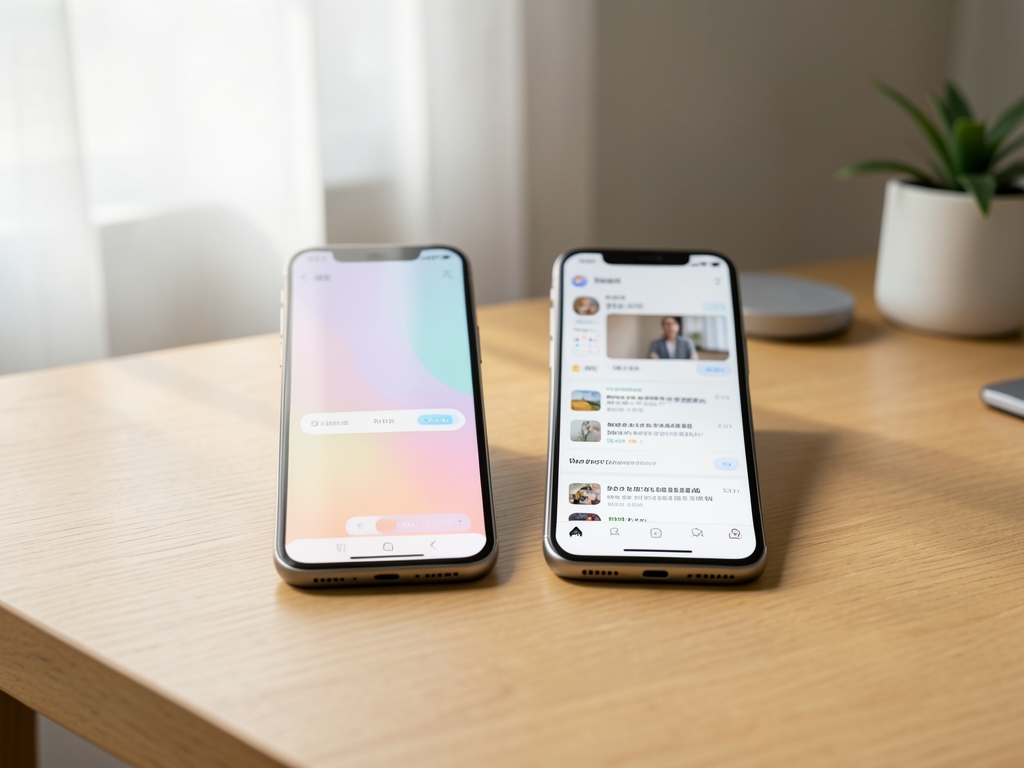
When deciding on a new flagship smartphone, consumers in Europe and the United States face a familiar and challenging dilemma: choosing between the streamlined, direct-from-source software philosophy of Google Pixel devices and the feature-dense, highly customizable ecosystem of Samsung Galaxy handsets. While hardware specifications such as processor speeds, camera megapixels, and battery capacities often dominate marketing campaigns, the day-to-day user experience is profoundly shaped by software philosophy, interface design choices, and long-term operating system support policies. Understanding how these two distinct approaches impact longevity, daily usability, and overall device value is essential for anyone investing in a premium mobile device.
The Software Philosophy Difference: Clean Integration Versus Feature Abundance
At the core of the Google Pixel experience is a philosophy centered on minimalism, optimization, and seamless integration. Because Google designs both the Android operating system and the Pixel hardware, the software is meticulously tailored to the specific processor architecture. This tight integration eliminates unnecessary background processes, resulting in fluid animations, responsive touch feedback, and an uncluttered user interface. For users who prefer a straightforward experience without duplicate applications, pre-installed promotional software, or redundant app stores, the Pixel interface represents the purest vision of modern mobile computing.
Conversely, Samsung’s One UI takes an expansive, feature-rich approach. Samsung equips its Galaxy lineup with an extensive array of proprietary utilities, advanced multitasking modes, deep customization tools, and specialized hardware integrations. Power users who appreciate split-screen multitasking, floating windows, granular notification controls, and extensive visual theme customization often find that Samsung’s software offers unmatched versatility. However, this abundance of features comes with trade-offs. The interface requires more system resources, and users frequently encounter duplicate applications—such as separate web browsers, app stores, and cloud backup services—competing for attention alongside default Google services.
Long-Term Support and Update Lifespans
One of the most critical factors influencing modern smartphone longevity is the duration and reliability of software updates. Both manufacturers have made significant strides in extending their support windows, promising multi-year commitments that far exceed industry standards from previous generations. However, the practical rollout of these updates differs notably in execution.
Google Pixel devices receive major operating system upgrades and monthly security patches on day one directly from the developer. This immediate availability ensures that security vulnerabilities are patched swiftly and new Android features are accessible without carrier or manufacturer delays. Furthermore, Google has established robust multi-year support commitments for recent flagship generations, ensuring that devices remain secure, functional, and up to date for an extended lifecycle.
Samsung also provides extended support commitments for its flagship Galaxy series, often matching or approaching industry-leading timelines. Nevertheless, because Samsung must adapt core Android releases to run across a vast portfolio of devices—ranging from budget models to foldable flagships—major software updates often arrive weeks or months after Google's initial release. For enthusiasts who prioritize immediate access to the latest operating system revisions, this waiting period remains an important consideration.
Camera Processing and Computational Photography
Mobile photography has evolved far beyond raw sensor hardware, relying heavily on advanced computational algorithms to determine image quality, dynamic range, and color accuracy. Google and Samsung approach image processing through distinct optical and computational lenses.
Google’s computational photography pipeline emphasizes natural skin tones, balanced contrast, and realistic lighting. Features such as Real Tone, advanced HDR+ processing, and AI-driven editing tools like Magic Eraser allow users to capture compelling photographs effortlessly in challenging lighting conditions. The emphasis is on consistency: pressing the shutter button reliably yields a balanced, ready-to-share image with minimal manual adjustment required.
Samsung approaches photography with a preference for vibrant color profiles, high contrast, and striking clarity that immediately appeals to social media users. Galaxy flagships often incorporate versatile camera arrays featuring high-resolution primary sensors alongside dedicated periscope telephoto lenses capable of extreme magnification. While Samsung's zoom capabilities frequently outperform competitors at long distances, the heavily processed aesthetic can occasionally introduce unnatural saturation or aggressive sharpening compared to the more subdued, documentary-style output of Pixel cameras.
Ecosystem Integration and Smart Hardware Accessories
Choosing a smartphone rarely happens in isolation; it often dictates the broader ecosystem of smartwatches, wireless earbuds, tablets, and smart home appliances that a consumer adopts. Both brands offer comprehensive ecosystems, yet their interoperability models diverge sharply.
Google’s ecosystem leans heavily on cloud services, machine learning assistance through Gemini, and universal compatibility across Android devices and ChromeOS computers. Pixel Watch integration, fast pairing accessories, and smart home control via the Google Home application create a cohesive environment that prioritizes ambient computing and voice interaction.
Samsung has constructed a sprawling, highly integrated hardware ecosystem that mirrors the closed-loop philosophy popularized by Apple. Galaxy smartphones connect effortlessly with Galaxy Tab tablets, Galaxy Watch wearables, Galaxy Book laptops, and SmartThings-compatible home devices. Features like Quick Share, seamless audio switching between Galaxy Buds, and desktop continuation modes via Samsung DeX provide a powerful, unified productivity suite for users deeply embedded within Samsung’s hardware portfolio.
Evaluating Performance and Daily Usability
Underneath the software layer, processor performance dictates how smoothly a smartphone handles demanding tasks such as 3D gaming, video editing, and on-device artificial intelligence processing. While benchmark scores provide a theoretical metric of raw power, real-world efficiency depends on thermal management and software optimization.
Google Pixel devices utilize custom Tensor processors designed specifically to prioritize machine learning tasks, voice recognition, and energy efficiency during everyday use rather than raw gaming dominance. This focus ensures that everyday interactions—such as transcribing voice notes, translating languages in real time, and navigating complex user interfaces—feel exceptionally fluid.
Samsung Galaxy flagships typically feature top-tier Snapdragon or Exynos processors paired with generous RAM allocations and advanced vapor chamber cooling systems. For mobile gamers and power users demanding maximum frame rates and sustained multi-core performance under heavy loads, Samsung's hardware configuration consistently delivers superior raw throughput.
Which brand offers faster software updates?
Google Pixel devices receive major Android updates and monthly security patches immediately upon release because Google develops both the operating system and the hardware. Samsung also provides extended update support, but major releases often take longer to arrive as they must be adapted across a diverse portfolio of devices.
Are Samsung Galaxy phones better for multitasking?
Yes, Samsung's One UI software is specifically designed with power users in mind, offering advanced multitasking features such as split-screen apps, floating windows, and desktop-like functionality through Samsung DeX, which surpasses the stock Android multitasking experience found on Pixel devices.
How do the camera styles differ between Pixel and Galaxy?
Google Pixel cameras focus on natural color reproduction, balanced contrast, and realistic computational photography. In contrast, Samsung Galaxy cameras tend to produce more vibrant colors, higher contrast, and feature powerful long-range zoom lenses.
Do Google Pixel phones contain bloatware?
No, Google Pixel phones run a clean version of Android without third-party bloatware or duplicate applications. Samsung Galaxy devices often come with a selection of pre-installed Samsung apps and partner services alongside standard Google applications.
Conclusion: Making the Right Choice for Your Workflow
Ultimately, the choice between Google Pixel and Samsung Galaxy depends entirely on individual priorities and workflow preferences. Consumers who value a clean, distraction-free interface, immediate software updates, and natural computational photography will find that Google Pixel devices offer an exceptionally refined and straightforward mobile experience. On the other hand, users who demand extensive hardware customization, advanced multitasking capabilities, powerful zoom photography, and a tightly integrated hardware ecosystem will find that Samsung Galaxy flagships remain the premier choice in the Android marketplace. By weighing these distinct software and hardware philosophies, buyers can select the device that best aligns with their daily digital life.
