

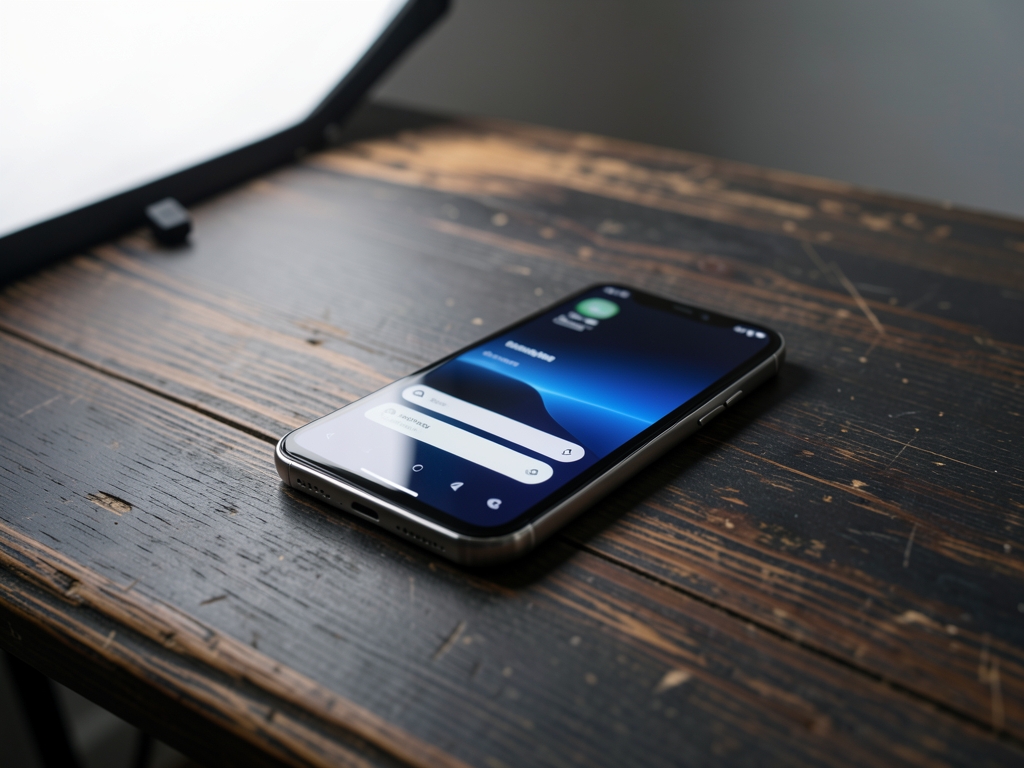
The smartphone software ecosystem is evolving at a rapid pace, and major manufacturers continuously refine their user interfaces to deliver better performance, deeper customization, and advanced artificial intelligence capabilities. For enthusiasts following the intersection of unique hardware design and minimalist software philosophy, significant operating system releases are always a major milestone. The rollout of major firmware updates often defines how users interact with their daily devices, introducing new architectural layers under the hood while maintaining the core aesthetic identity that sets a brand apart in a crowded marketplace.
In this landscape of continuous mobile innovation, software deployment schedules dictate how quickly flagship and mid-range devices adopt the latest platform standards. Recent developments highlight the ongoing rollout cycle for modern hardware platforms, bringing fresh features directly to consumers who value clean software design and optimized system efficiency. Understanding what these software iterations entail helps users make informed decisions about their device maintenance, security patching, and overall mobile experience.
Understanding Nothing OS 5.0 and the Android 17 Foundation
The transition to a new major operating system version involves extensive engineering work, aligning custom user interface layers with the underlying architecture of the latest platform release. For users of the Nothing Phone (3), the arrival of stable Nothing OS 5.0 represents a substantial leap forward. Built on top of the robust Android 17 framework, this software update bridges the gap between Google's latest core system enhancements and Nothing's signature dot-matrix design language.
Android 17 brings fundamental improvements to memory management, background process efficiency, and granular permission controls. By integrating these foundational elements into Nothing OS 5.0, the engineering team has focused on reducing latency, improving battery conservation during heavy multitasking, and streamlining the overall navigation flow. Users can expect a fluid experience that respects system resources while delivering the signature monochrome aesthetic that has become synonymous with the brand.
Key Features and Visual Refinements in Nothing OS 5.0
One of the most noticeable aspects of any major Nothing OS release is its distinct visual presentation. Nothing OS 5.0 introduces refined widget interactions, expanded customization options for the lock screen, and deeper integration with the device's Glyph Interface. These features are designed to minimize screen-checking habits by offering glanceable information right when the user needs it.
- Enhanced Glyph Integration: New lighting patterns and scheduling tools allow users to map specific notifications, timer countdowns, and third-party app alerts to the rear LED array with greater precision.
- Advanced Widget Ecosystem: Redesigned interactive widgets provide direct control over smart home devices, media playback, and quick settings toggles without requiring users to fully unlock their phones or open dedicated applications.
- Performance Optimization: Core system animations have been rebuilt for a smoother 120Hz rendering pipeline, minimizing dropped frames during rapid multitasking and app switching.
- Extended Privacy Controls: Granular permission prompts and an upgraded security dashboard give users clearer insights into how installed applications access device sensors and personal data.
How to Check for and Install the Update
For device owners eager to experience the new software, verifying system availability is a straightforward process. Manufacturers typically stage rollouts to ensure server stability and catch any unforeseen bugs before a global deployment reaches every active handset. If an update notification has not yet appeared automatically in the notification shade, users can manually check for the firmware package through the standard system settings menu.
- Open the device Settings application from your home screen or app drawer.
- Scroll down and tap on System or System Update depending on your current build version.
- Select Check for Updates to query the official Nothing update servers for the latest stable package.
- If Nothing OS 5.0 is available for your region, tap Download and Install while connected to a stable Wi-Fi network and ensure your battery level is above 50 percent.
- Once the download completes, follow the on-screen prompts to restart your device and finalize the installation process.
Impact on Battery Life and Thermal Efficiency
A frequent concern accompanying major operating system upgrades is the potential impact on daily battery endurance and thermal management. Because Android 17 incorporates smarter scheduling algorithms for background tasks, Nothing OS 5.0 aims to optimize power draw across different usage scenarios. Idle drain is notably reduced through more aggressive doze-mode protocols, ensuring that the phone conserves energy when left untouched on a desk or tucked inside a pocket.
Furthermore, thermal throttling thresholds have been recalibrated for the Nothing Phone (3) hardware configuration. During prolonged gaming sessions, high-resolution video recording, or intensive navigation tasks, the processor manages heat dissipation more evenly, preventing sudden performance drops and maintaining a comfortable device temperature in the hand.
Major software updates are not merely about visual changes; they represent a fundamental alignment between modern hardware capability and intelligent system resource allocation.
Security and Long-Term Software Support
Security patching remains a critical pillar of modern mobile computing. With the integration of Android 17 baseline security protocols, Nothing OS 5.0 addresses numerous potential vulnerabilities across network stacks, Bluetooth controllers, and media codecs. Regular security updates ensure that personal data, financial transactions, and stored credentials remain shielded against emerging digital threats.
Info! Always back up your critical photos, documents, and app data to cloud storage or an external drive before initiating a major operating system upgrade to prevent accidental data loss.
The commitment to sustained software support highlights a maturation within the smartphone industry, where manufacturers recognize that consumers expect their hardware investments to remain viable, secure, and feature-rich for several years after purchase.
What is Nothing OS 5.0 based on?
Nothing OS 5.0 is built on top of the Android 17 operating system framework, incorporating its core performance enhancements, security protocols, and system architecture.
Which devices are eligible for the Nothing OS 5.0 update?
The stable rollout primarily targets the Nothing Phone (3), bringing optimized features and interface refinements tailored specifically for that hardware generation.
How can I manually install the update on my phone?
You can manually check for the update by navigating to Settings, selecting System or System Update, and tapping Check for Updates while connected to Wi-Fi.
Does Nothing OS 5.0 improve battery life?
Yes, the update includes advanced background process management and refined idle power conservation protocols inherited from Android 17 to enhance overall endurance.
As the mobile technology landscape continues to mature, timely software updates that balance aesthetic identity with robust underlying performance remain essential for discerning smartphone users. The rollout of Nothing OS 5.0 for the Nothing Phone (3) demonstrates a clear commitment to refining the user experience without abandoning the distinctive design principles that first drew attention to the brand.
