

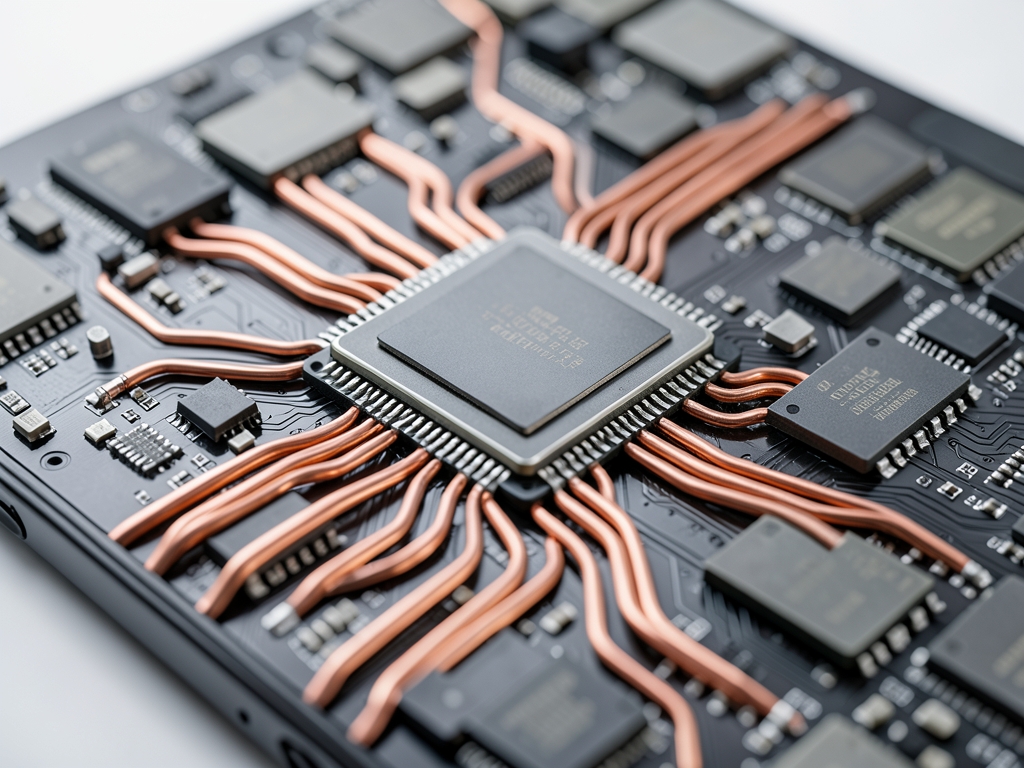
Modern smartphones are engineering marvels that pack desktop-class processing power into ultra-slim form factors. However, this convergence of high-performance computing and compact physical design creates significant thermal and electrical challenges. As mobile chipsets become faster and capable of sustaining complex machine learning tasks, graphics-heavy gaming, and multi-camera video recording, managing the delicate balance between thermal output, energy consumption, and battery longevity becomes critical. Understanding how modern mobile operating systems and hardware components interact under stress reveals the complex mechanics behind battery wear, performance scaling, and effective device maintenance.
The Physics of Mobile Power Consumption and Thermal Generation
At the heart of every smartphone lies a complex System-on-a-Chip (SoC) that integrates CPU cores, graphics processors, neural processing units, and modem radios onto a single piece of silicon. When a device executes demanding applications, electrical current flows rapidly through microscopic transistors. This movement of electrons generates substantial localized heat. Unlike desktop computers or gaming laptops that utilize large cooling fans, vapor chambers, and massive heatsinks, mobile devices rely entirely on passive cooling.
Passive cooling means thermal energy must dissipate slowly through the smartphone's external chassis, screen, and internal graphite sheets. When heat accumulates faster than it can escape, the internal temperature of the device rises sharply. Lithium-ion batteries, which power the vast majority of modern mobile devices, are highly sensitive to thermal stress. Operating a battery at elevated temperatures accelerates chemical degradation, permanently reducing its maximum charge capacity over time and threatening overall system stability.
To prevent catastrophic hardware failure and protect the structural integrity of the battery chemistry, mobile operating systems employ aggressive power management protocols. When internal thermal sensors detect rising temperatures, the system initiates dynamic frequency scaling. This mechanism temporarily reduces the clock speed of the processor cores, lowering power draw and stabilizing operating temperatures at the expense of peak processing performance.
Understanding Thermal Throttling: Why Your Phone Slows Down
Thermal throttling is frequently misunderstood by consumers who mistake the sudden stutter or frame rate drop in an application for software bugs or forced obsolescence. In reality, throttling is a vital safety and longevity feature engineered into both hardware and operating systems. When an application demands sustained high performance—such as a 3D mobile game or a 4K video rendering tool—the processor rapidly consumes electrical energy and generates intense heat.
If the device were permitted to run at maximum capacity indefinitely without cooling, internal components could suffer permanent damage, and the lithium-ion battery could experience thermal runaway. To mitigate this risk, the power management integrated circuit (PMIC) and the operating kernel work in tandem to throttle performance. The CPU and GPU cores step down their operating frequencies, executing fewer instructions per second, which immediately reduces heat output.
| Thermal State | Processor Behavior | Battery Impact | User Experience |
|---|---|---|---|
| Optimal Range | Maximum clock frequencies and full multi-core utilization. | Normal energy discharge rate with standard thermal load. | Flawless execution of heavy gaming and multitasking. |
| Moderate Heating | Minor frequency adjustments on performance cores. | Slightly elevated chemical activity due to temperature. | Barely perceptible stutter or steady frame rates. |
| Heavy Throttling | Aggressive reduction in clock speeds; core parking active. | Protected from degradation by lowered current draw. | Noticeable drop in gaming frame rates or UI response. |
| Critical Warning | Emergency low-power mode or automatic system shutdown. | Secured against permanent chemical damage or failure. | Device temporarily locked or powered off for safety. |
Lithium-Ion Degradation and Battery Health Management
Battery wear is an inevitable consequence of the chemical reactions inside lithium-ion cells. Every complete charge and discharge cycle alters the internal cathode and anode structures slightly, leading to a gradual loss of active lithium ions. While normal aging occurs over several years, improper thermal management and erratic charging habits can accelerate this deterioration exponentially.
When a phone is charged rapidly while simultaneously running intensive tasks, the combined heat generated by the fast-charging circuitry and the processor creates a hostile environment for the battery. High voltage combined with high temperature causes the solid electrolyte interphase (SEI) layer on the anode to thicken, which increases internal resistance and permanently diminishes capacity. Modern operating systems now incorporate intelligent charging algorithms that slow down charging speeds once the battery reaches 80 percent capacity, minimizing stress during the final stages of the charge cycle.
Info! Keeping your smartphone's charge level between 20 percent and 80 percent and avoiding direct exposure to direct sunlight or hot car dashboards can significantly extend the usable lifespan of your battery.
Practical Strategies to Optimize Performance and Protect Battery Health
Users can take proactive steps to minimize thermal stress and prevent premature battery degradation. Implementing proper device maintenance habits ensures that your smartphone remains responsive and maintains reliable battery endurance throughout its lifecycle.
- Avoid Heavy Usage While Charging: Refrain from playing demanding games or streaming high-resolution video while the device is plugged into a fast charger, as this doubles the internal heat generation.
- Manage Background Applications: Regularly review background app refresh settings and restrict rogue applications that consume CPU cycles and drain battery capacity unnecessarily.
- Use Certified Charging Accessories: Always utilize high-quality chargers and cables that support official power delivery protocols and feature built-in safety safeguards.
- Maintain Optimal Operating Environments: Keep your phone away from extreme ambient temperatures, removing protective cases if the device begins to feel excessively warm during routine tasks.
The Evolution of Hardware Cooling Technologies
Smartphone manufacturers are continually innovating to overcome the physical limitations of passive cooling. Recent flagship devices incorporate advanced thermal architecture, including ultra-thin vapor chamber cooling systems, aerospace-grade graphite sheets, and phase-change materials that absorb and disperse heat away from the primary processor. These engineering advancements allow devices to sustain peak processing performance for longer durations before triggering thermal throttling protocols.
Simultaneously, advancements in semiconductor manufacturing nodes—such as 3nm and smaller fabrication processes—yield processors that require significantly less electrical current to achieve the same computational output. By reducing the energy required per calculation, chip designers minimize the absolute heat generated, directly benefiting both battery endurance and sustained processing speeds.
What causes my smartphone to slow down during extended use?
Smartphones slow down during extended use primarily due to thermal throttling. When processors run intensive tasks for long periods, they generate heat. To protect internal hardware and the battery from damage, the operating system automatically reduces processor clock speeds, resulting in lower performance.
Does fast charging permanently damage my phone battery?
Fast charging does not inherently destroy a battery, but the excess heat generated during rapid charging can accelerate chemical degradation over time. Modern smartphones mitigate this risk by dynamically adjusting charging speeds as the battery approaches full capacity.
How can I check the health status of my smartphone battery?
Most modern mobile operating systems include a dedicated battery health menu in the settings app that displays maximum capacity percentage and peak performance capability. Third-party diagnostic tools are also available for deeper hardware analysis.
Are phone cooling cases or external fans effective?
External cooling accessories and specialized gaming cases can help dissipate surface heat more efficiently during heavy mobile gaming sessions, preventing severe thermal throttling and maintaining stable frame rates.
Conclusion
Navigating the complex interplay between processing power, thermal management, and battery longevity requires an understanding of modern hardware limitations. While thermal throttling and battery wear are natural aspects of smartphone operation, adopting smart usage habits and choosing devices equipped with advanced cooling architectures can preserve performance and extend device lifespan significantly. By balancing computational demands with effective thermal care, users ensure their mobile devices remain reliable, responsive, and efficient for years to come.
