

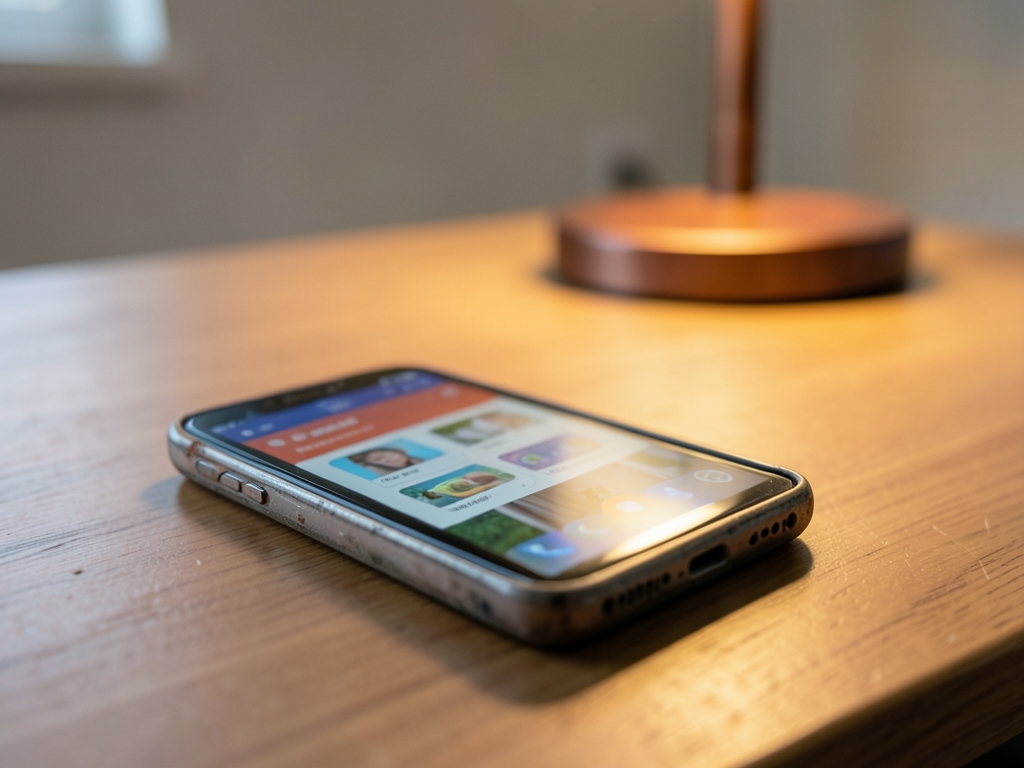
When a smartphone manufacturer finally stops pushing out operating system updates and security patches, it is easy to assume the device has reached the end of its useful life. For many users across Europe and the United States, an aging phone is quickly tossed into a drawer or sent to a recycling center. However, reaching the end of official software support does not mean your hardware is suddenly broken or incapable of performing valuable tasks. The internal processor, battery, display, and Wi-Fi radio remain entirely functional, opening the door to creative and practical repurposing strategies that can save you money and keep electronics out of landfills.
Repurposing an unsupported Android phone requires a shift in how you view the device. While you should no longer use it for sensitive tasks like mobile banking or primary daily messaging due to unpatched security vulnerabilities, the hardware excels at dedicated offline or localized functions. By stripping away unnecessary background services and locking down network permissions, you can transform an old handset into a specialized household tool that performs better in its new role than a cheap budget device would.
1. Transform Your Phone Into a Dedicated Smart Home Dashboard
One of the most practical ways to give an old Android phone a second lease on life is to mount it on a wall or place it on a desktop stand as a dedicated smart home control center. Platforms like Home Assistant, Google Home, and various smart lighting applications allow you to create a touch-sensitive dashboard that manages your lights, thermostat, security cameras, and media playback.
Because the device remains plugged into a charger permanently in this setup, battery degradation is no longer a concern. To maximize security, factory reset the phone, sign in with a secondary account or use the apps in local-only mode, and disable all notifications from social media or email clients. This creates a responsive, always-on interface for your household without exposing your primary daily phone to wear and tear.
2. Build a Dedicated High-Fidelity Audio Streamer
Older Android devices often feature high-quality digital-to-analog converters (DACs) and, in many cases, a physical 3.5mm headphone jack that modern flagships have abandoned. You can turn your retired smartphone into a dedicated music streaming player for your home stereo system, desktop speakers, or bedside headphones.
Download offline music libraries from services like Spotify or Tidal, or load the device with FLAC and MP3 files using a microSD card if the phone supports expandable storage. Connect the phone to your audio receiver via an auxiliary cable or a USB DAC, and place it in 'Do Not Disturb' mode. This isolates your music collection from incoming phone calls and text messages, giving you an uninterrupted listening experience reminiscent of a standalone digital audio player.
Retiring a smartphone from active cellular duty does not diminish its raw computing power. Dedicated offline tasks allow aging silicon to run smoothly without the heavy overhead of modern background operating system updates.
3. Create a Permanent Portable Security Camera or Dashcam
Instead of purchasing expensive dedicated surveillance hardware, you can convert your old Android phone into a security camera for your home or a dashcam for your vehicle. Applications designed for IP camera streaming can transform the phone's camera feed into an RTSP or HTTP stream that you can monitor from your main computer or current smartphone while connected to your home Wi-Fi network.
If you prefer to use the device as a dashcam, mount it securely on your vehicle's windshield, plug it into a reliable car charger, and install a reputable loop-recording dashcam application. Ensure the battery is not excessively swollen before leaving it in a parked car under direct sunlight, as heat can negatively impact aging lithium-ion cells.
4. Set Up a Dedicated E-Reader and Bedside Media Player
Reading e-books, viewing digital magazines, and streaming podcasts or ambient sleep sounds do not require cutting-edge processing power. An older Android phone with an AMOLED or IPS display serves as an excellent portable e-reader for apps like Google Play Books, Kindle, or local PDF readers.
By enabling extreme battery saver modes, turning off cellular radios, and reducing screen brightness, you can achieve impressive standby times. Placing the device on your nightstand as a dedicated morning alarm clock and evening reading companion keeps your main smartphone out of the bedroom, promoting better sleep hygiene while keeping your legacy hardware actively engaged.
5. Practice Local File Storage and Offline Navigation
Offline utility is a major advantage of keeping an old smartphone powered on. You can load the device with offline Google Maps or OpenStreetMap data, making it a reliable backup GPS navigator for hiking trips, international travel, or glove-compartment emergency use where cellular data coverage is unreliable or expensive.
Furthermore, the device can serve as a secure local media server or a portable storage drive using FTP server applications over your local Wi-Fi network. This allows you to transfer documents, photos, and media files between computers without relying on cloud services or internet connectivity.
6. Introduce Children to Digital Literacy Safely
If you have younger children in the household, an old Android phone makes a fantastic sandbox device for educational games, drawing applications, and offline learning tools. Because the device lacks an active cellular plan and can be heavily restricted via parental controls or guest user profiles, children can explore digital media in a safe, controlled environment.
Warning! Always remove your primary Google account from an old device before handing it over to children or repurposing it for public-facing tasks. Perform a complete factory reset to wipe personal data, and avoid connecting the phone to unsecured public Wi-Fi networks if security patches are severely outdated.
| Repurposing Idea | Primary Benefit | Recommended Preparation |
|---|---|---|
| Smart Home Hub | Always-on appliance control | Disable all notifications, mount near power outlet |
| Audio Streamer | Utilizes headphone jack / DAC | Load offline music, enable Do Not Disturb |
| Security Camera | Saves money on surveillance hardware | Install IP camera app, connect to stable Wi-Fi |
| Bedside E-Reader | Promotes digital minimalism | Remove active accounts, enable reading mode |
| Offline GPS Navigator | Reliable travel backup | Download offline regional map data |
Extending Device Utility Responsibly
Giving older technology a second chapter is both an economical and environmentally responsible choice. While the rapid pace of technological innovation encourages constant upgrades, many electronic components retain substantial operational value long after manufacturers cease software support. By evaluating what your older hardware still does well—such as offline media playback, sensor monitoring, or localized computing—you can reduce electronic waste and extract maximum value from your initial investment.
Is it safe to use an Android phone after software updates stop?
Using an unsupported phone for daily web browsing, banking, or messaging carries security risks because critical vulnerabilities no longer receive patches. However, using the device offline or strictly within a secured local network for tasks like music playback or smart home control minimizes these risks significantly.
Can I still install new apps on an old Android version?
Many modern applications maintain backward compatibility with older Android versions for several years after a device stops receiving system updates. For apps that no longer install via the official store, you can often use older stable APK versions or lightweight alternative web apps.
How can I prevent battery swelling in an always-plugged-in old phone?
Batteries left constantly at 100% charge under continuous power can degrade faster. If possible, use smart plugs to cycle power or use custom software tools to limit maximum charge capacity to 80%, and regularly inspect the device casing for signs of battery expansion.
Do I need an active SIM card to use a repurposed Android phone?
No active SIM card or cellular plan is required for any of these repurposing methods. All core functions, including Wi-Fi connectivity, Bluetooth audio, camera recording, and local storage access, operate entirely without cellular service.
Ultimately, transitioning an aging smartphone from a primary communication device into a dedicated single-purpose appliance proves that hardware lifespan extends far beyond corporate update schedules. With a little creativity, your old phone can remain a valuable fixture in your daily routine for years to come.
