

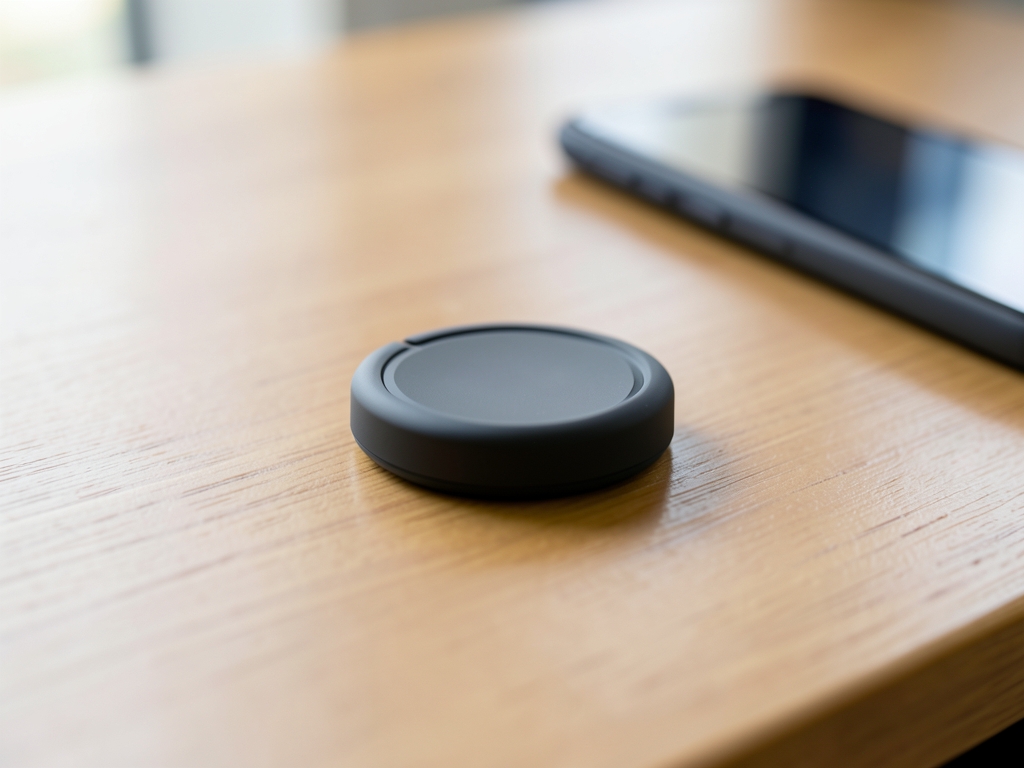
For years, Android enthusiasts watched from the sidelines while iPhone users enjoyed the seamless convenience of Apple’s AirTag ecosystem. Locating misplaced keys, luggage, and backpacks became an effortless routine for iOS device owners, powered by a massive crowd-sourced network. Meanwhile, the Android landscape relied on fragmented third-party trackers from brands like Tile and Chipolo, lacking deep, native system integration. That long-standing disparity is finally shifting as hands-on impressions of the newly developed Google Pixel Tag reveal a dedicated, first-party tracking hardware solution built explicitly for the Android ecosystem.
This comprehensive hands-on analysis explores what makes the Google Pixel Tag a significant milestone for mobile accessories. We examine its design language, pairing mechanics, integration with the broader Find My Device network, and how it measures up against existing competitors in the crowded smart tracking market.
The Evolution of Android Tracking Infrastructure
Before hardware can succeed in the Bluetooth tracker market, the underlying network infrastructure must be robust enough to locate missing items across dense urban environments and remote locations alike. Google spent the past year quietly overhauling its Find My Device network, transitioning it into a crowdsourced mesh capable of leveraging billions of active Android smartphones worldwide. This architectural upgrade paved the way for dedicated first-party hardware designed to exploit every layer of the operating system.
Unlike third-party trackers that often require standalone companion applications and suffer from inconsistent background synchronization, a first-party device benefits from system-level optimization. When users unbox the Pixel Tag, the pairing process mirrors the frictionless experience of setting up wireless earbuds. Bringing the puck-shaped tracker close to a compatible Pixel or modern Android device immediately triggers an on-screen pop-up prompt, initiating a fast, secure connection without navigating nested system settings.
Info! First-party integration ensures that proximity pairing, battery health monitoring, and firmware updates happen automatically in the background without user intervention.
Design and Form Factor: Minimalist and Practical
First impressions of the Pixel Tag emphasize a clean, understated aesthetic that aligns closely with Google’s contemporary hardware design philosophy. Abandoning bulky or overly complex geometric shapes, the tracker adopts a compact, lightweight circular form factor. It features a durable matte exterior designed to resist scuffs and daily wear when tossed into a backpack or attached to a set of keys.
Unlike some competitors that require specialized proprietary key rings or adhesive mounts, the Pixel Tag incorporates a built-in lanyard slot or clean mounting channel, depending on the final production variant. This thoughtful engineering decision eliminates the hidden cost of purchasing separate accessory loops just to attach the tracker to basic everyday items. The device feels solid in the hand, striking an effective balance between pocket-friendly dimensions and structural durability.
Ultra-Wideband Precision and Proximity Guidance
One of the most critical elements revealed during hands-on testing is the implementation of Ultra-Wideband (UWB) technology. While basic Bluetooth Low Energy (BLE) transmitters excel at long-range background pings, they struggle to pinpoint an item hidden within the immediate vicinity—such as beneath a couch cushion or inside a cluttered drawer. UWB bridges this gap by providing centimeter-level directional accuracy.
When a user opens the Find My Device app and initiates a close-range search, the interface transitions from a general map view to a directional augmented reality interface. Arrows and haptic feedback guide the user directly toward the target with remarkable precision. The hardware communicates seamlessly with modern smartphones equipped with UWB chips, ensuring responsive, real-time updates as the user moves closer to the lost object.
The integration of ultra-wideband technology transforms a basic proximity alert into a precise directional compass, effectively eliminating the frustrating guessing game of traditional Bluetooth tracking.
Security, Privacy, and Unwanted Tracking Protections
Deploying a massive crowdsourced tracking network naturally raises valid concerns regarding user privacy and the potential misuse of tracking hardware for stalking. Google has built multi-layered safeguards directly into the architecture of the Pixel Tag to mitigate these risks from day one.
Location data transmitted across the Find My Device network is end-to-end encrypted, ensuring that neither Google nor random network contributors can view the geographical coordinates of a tracker. Furthermore, the system includes proactive unwanted tracking detection. If an unknown tracker is detected moving alongside a user over an extended period, the phone issues an immediate alert. Users can also utilize an audible alarm feature on the physical tag to locate unauthorized devices quickly.
Battery Life and Maintenance Realities
Hardware longevity remains a crucial consideration for consumers investing in ecosystem accessories. Review units indicate that the Pixel Tag utilizes a standard, user-replaceable coin cell battery—typically a CR2032—designed to deliver upwards of a full year of continuous operation under normal usage conditions.
Replacing the battery requires a straightforward twist-to-open mechanism on the rear casing, avoiding the need for specialized tools or damaging adhesive strips. The software interface includes a persistent battery percentage indicator within the settings menu, providing ample warning weeks before the cell requires replacement.
How It Compares to Established Alternatives
To understand the true market value of the Pixel Tag, it helps to evaluate its positioning against incumbent alternatives:
| Feature | Google Pixel Tag | Apple AirTag | Tile Pro |
|---|---|---|---|
| Ecosystem | Android (Find My Device) | iOS (Find My) | Cross-Platform (Tile App) |
| Precision Finding | Ultra-Wideband (UWB) | Ultra-Wideband (UWB) | Bluetooth Audio / LED |
| Network Density | Billions of Android Devices | Billions of iOS Devices | Active Tile App Users |
| Battery Type | User-Replaceable CR2032 | User-Replaceable CR2032 | User-Replaceable CR2032 |
As the comparison highlights, Google’s offering matches the industry standards set by Apple while bypassing the platform lock-in that previously frustrated Android consumers.
Does the Google Pixel Tag work with non-Pixel Android phones?
Yes, the Pixel Tag is compatible with any modern Android smartphone running Android 9 or newer that supports Google Play Services and participates in the updated Find My Device network.
Do I need a separate keyring accessory to attach the Pixel Tag?
The tracker features a built-in physical mounting loop or channel in its chassis design, allowing users to attach it directly to key rings and lanyards without purchasing an extra holder.
How does the Pixel Tag prevent unwanted stalking?
The device includes cross-platform tracking alerts. If an unknown tag is detected traveling with you, your Android phone or iPhone will notify you, and the tag can emit an audible sound.
What type of battery does the Pixel Tag use?
The Pixel Tag uses a standard, easily replaceable coin cell battery that typically provides up to twelve months of battery life before requiring a simple user swap.
The introduction of the Google Pixel Tag marks a long-awaited maturation of Android's accessory ecosystem. By combining seamless fast pairing, robust end-to-end encryption, ultra-wideband directional tracking, and a vast crowdsourced network, Google has delivered a compelling tool that finally gives Android fans a reliable, native equivalent to the AirTag.
