

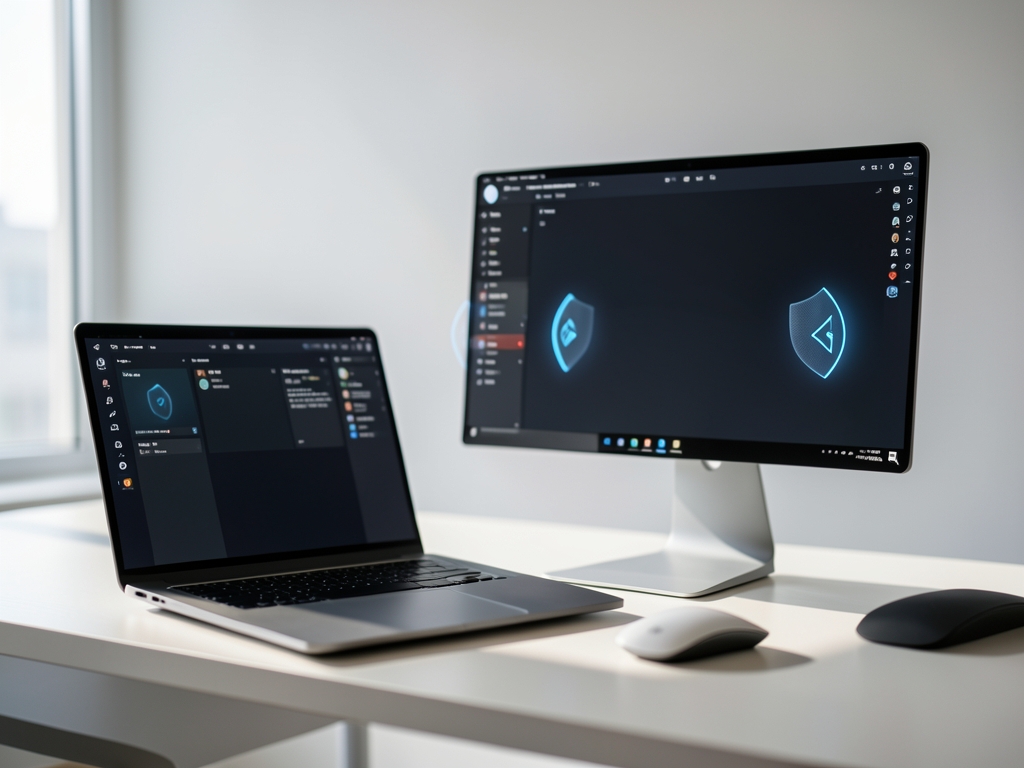
Proton, the Switzerland-based privacy software organization widely known for Proton Mail, Proton VPN, and Proton Drive, has expanded its security-focused ecosystem with the release of the Lumo Desktop AI assistant. Designed specifically for desktop operating systems including Windows and macOS, Lumo represents a major technological shift in consumer artificial intelligence. Unlike conventional cloud-hosted assistants that send user queries, personal files, and contextual data back to centralized corporate servers for model training, Proton Lumo prioritizes zero-knowledge architecture, local on-device intelligence, and strict end-to-end encryption standards.
As artificial intelligence tools become deeply integrated into everyday computer workflows, data privacy concerns surrounding automated data collection, telemetry logging, and background model training have grown exponentially. Proton Lumo addresses these exact risks by offering a privacy-first alternative engineered from the ground up for individuals, journalists, researchers, and enterprise professionals who require high-performance AI assistance without compromising sensitive information.
The Growing Need for Privacy-Conscious Desktop AI
Over the past few years, artificial intelligence desktop applications have transformed from novelty tools into central productivity hubs. From drafting complex reports and summarizing lengthy PDF documents to writing software code and organizing digital schedules, AI assistants offer undeniable efficiency gains. However, this convenience traditionally carries a high privacy cost. Standard commercial AI models routinely transmit user prompts and attached documents to remote cloud datacenters, where data may be retained, manually audited, or ingested into future training datasets.
For enterprise organizations handling proprietary code bases, medical professionals working with confidential records, and legal teams reviewing privileged documents, uploading sensitive files to cloud AI endpoints introduces severe compliance and security risks. Proton Lumo bridges this gap by decoupling intelligent machine learning assistance from invasive telemetry and data monetization models.
Core Features and Practical Capabilities of Proton Lumo
Proton Lumo brings a comprehensive suite of AI capabilities directly to your desktop desktop workspace. Rather than functioning as a basic chatbot embedded inside a web browser, Lumo acts as an integrated system-level assistant capable of assisting across multiple software workflows.
- Local and Encrypted Contextual Intelligence: Process text, documents, and code locally on compatible high-performance hardware, ensuring that zero data leaves your local machine during computational tasks.
- Deep Document Analysis: Upload multi-page PDFs, spreadsheets, and plain text files for instant summarization, data extraction, and natural-language query resolution without external cloud transmission.
- Offline Workspace Capabilities: Execute fundamental language processing tasks offline, maintaining continuous productivity even in air-gapped or disconnected environments.
- Cross-Platform Synchronization: For multi-device workflows, synchronization between devices relies on Proton's proven zero-knowledge end-to-end encryption, ensuring only holding keys can decrypt workspace states.
- System Integration and Shortcuts: Access Lumo instantly across Windows and macOS via quick global hotkeys, permitting rapid text rewriting, language translation, and summary generation from within any open desktop application.
Data Security Architecture and Zero-Knowledge Execution
At the structural core of Proton Lumo is the cryptographic philosophy that has governed Proton's software suite since its founding at CERN. Traditional desktop AI assistants operate on a continuous telemetry pipeline, transmitting app interactions and full conversation histories back to vendor infrastructure. Proton Lumo redefines this model through a multi-layered security framework.
1. Zero-Knowledge Cryptography
When remote server acceleration is required for complex tasks that exceed local hardware capabilities, Lumo utilizes encrypted tunnels. Content sent to Proton's dedicated privacy-focused infrastructure is encrypted client-side before transmission. The server processes the request inside volatile memory enclaves and immediately purges residual data upon response completion, leaving no permanent logs or training artifacts.
2. No Model Training on User Data
Proton explicitly commits that user interaction data, prompt history, and uploaded documentation will never be sold, leased, or utilized to train future baseline models. This policy ensures complete immunity from data leaks where proprietary information might surface in public AI outputs.
"Privacy should not be a luxury feature that users must trade away to experience modern technological innovations like generative AI."
System Requirements and Device Compatibility
To ensure optimal execution speeds and responsive real-time generation, your computer should meet the following recommended baseline specifications. Proton Lumo is engineered to leverage modern hardware acceleration engines, including integrated NPUs (Neural Processing Units) and Apple Silicon Unified Memory architectures.
| Resource | Minimum Requirement | Recommended Specification |
|---|---|---|
| Operating System | Windows 10 (64-bit) / macOS 13 Ventura | Windows 11 (23H2 or newer) / macOS 14 Sonoma or 15 Sequoia |
| Processor (CPU) | Intel Core i5 (10th Gen) / AMD Ryzen 5000 | Apple M1/M2/M3/M4 Series or Intel Core Ultra / AMD Ryzen AI |
| System Memory (RAM) | 8 GB RAM | 16 GB RAM or higher (32 GB for large local models) |
| Storage Space | 2 GB available SSD space | 10 GB high-speed NVMe SSD storage |
| Graphics / NPU | Integrated Graphics | Dedicated GPU (NVIDIA RTX / AMD Radeon) or dedicated NPU |
Download Proton Lumo Desktop AI Assistant and Installation Steps
Setting up Proton Lumo on your computer is straightforward. Follow the step-by-step instructions below to ensure you retrieve the verified, authentic application binary directly from official distribution infrastructure.
- Navigate to the verified official Proton website link below to download the latest installer package for your operating system.
- Select the appropriate installation file based on your operating system (e.g.,
.exefor Windows x64/ARM64 or.dmgfor Apple Silicon / Intel Mac). - Run the installer and follow the on-screen wizard to configure installation paths and default startup settings.
- Launch Proton Lumo and sign in with your existing Proton credentials, or register a new privacy-focused account.
- Configure your preferred AI performance balance: choose between max-privacy full local execution or hybrid encrypted cloud processing.
Info! Always verify that you are downloading software binaries from official domains. Avoid third-party mirrors, re-packaged executable files, or unverified script installers.
Download Proton Lumo Desktop AI Assistant
Comparing Proton Lumo with Conventional Desktop AI Tools
Understanding how Proton Lumo compares against mainstream cloud-centric desktop assistants highlights its distinct architectural advantages for security-conscious users.
| Feature / Indicator | Proton Lumo Assistant | Mainstream Cloud AI Assistants |
|---|---|---|
| Data Telemetry | Strictly Disabled / Zero-Knowledge | Continuous User Telemetry Enabled |
| Model Training on Data | Never Used for Training | Frequently Ingested for Model Fine-Tuning |
| Offline Functionality | Supported (Local Model Mode) | Rarely Available (Requires Active Internet) |
| Jurisdictional Protection | Swiss Privacy Laws Framework | Various Global Corporate Frameworks |
| Document Encryption | End-to-End Cryptographic Storage | Standard Server-Side Storage at Rest |
Optimizing Your Workflow with Proton Lumo
To maximize the productivity gains offered by Proton Lumo without straining local system hardware resources, consider configuring performance settings according to your daily computer usage patterns.
1. Balancing Local and Cloud Compute Modes
If your computer is equipped with an Apple Silicon M-series chip or a modern x86 processor paired with a dedicated NPU, enabling full local model execution provides instant latency-free responses for daily tasks like text editing, code refactoring, and document summarizing without consuming internet bandwidth.
2. Managing Local Context Windows
When analyzing large sets of documentation, uploading files individually or in targeted batches maintains high processing speeds while minimizing system memory footprint. Lumo allows users to clear context windows instantly using quick keyboard shortcuts, instantly purging active session memory for maximum security.
Is Proton Lumo free to download and use on desktop computers?
Yes, Proton Lumo offers a free tier that provides privacy-first desktop AI capabilities. Premium subscription tiers unlock expanded contextual limits, faster processing threads, and access to larger local model parameters.
Can Proton Lumo run completely offline without an internet connection?
Yes, when configured in local processing mode on supported system hardware, Proton Lumo can execute query responses, code generation, and text summarization completely offline without transmitting network data.
Does Proton use my personal documents or chat history to train AI models?
No. Under Proton strict privacy policy and Swiss legal jurisdiction, your prompts, uploaded files, and session histories are never monitored, sold, or utilized for machine learning model training.
Which operating systems are compatible with Proton Lumo?
Proton Lumo officially supports modern 64-bit Windows operating systems (Windows 10 and 11) as well as macOS (Intel and Apple Silicon architectures). Linux desktop support is also planned across official repository packages.
Final Thoughts
The launch of the Proton Lumo Desktop AI assistant proves that high-utility artificial intelligence does not require users to trade away their digital privacy or compromise confidential data assets. By combining local hardware acceleration with robust zero-knowledge cryptographic options, Proton provides a powerful, trustworthy desktop assistant suitable for personal, professional, and enterprise computing environments.
