

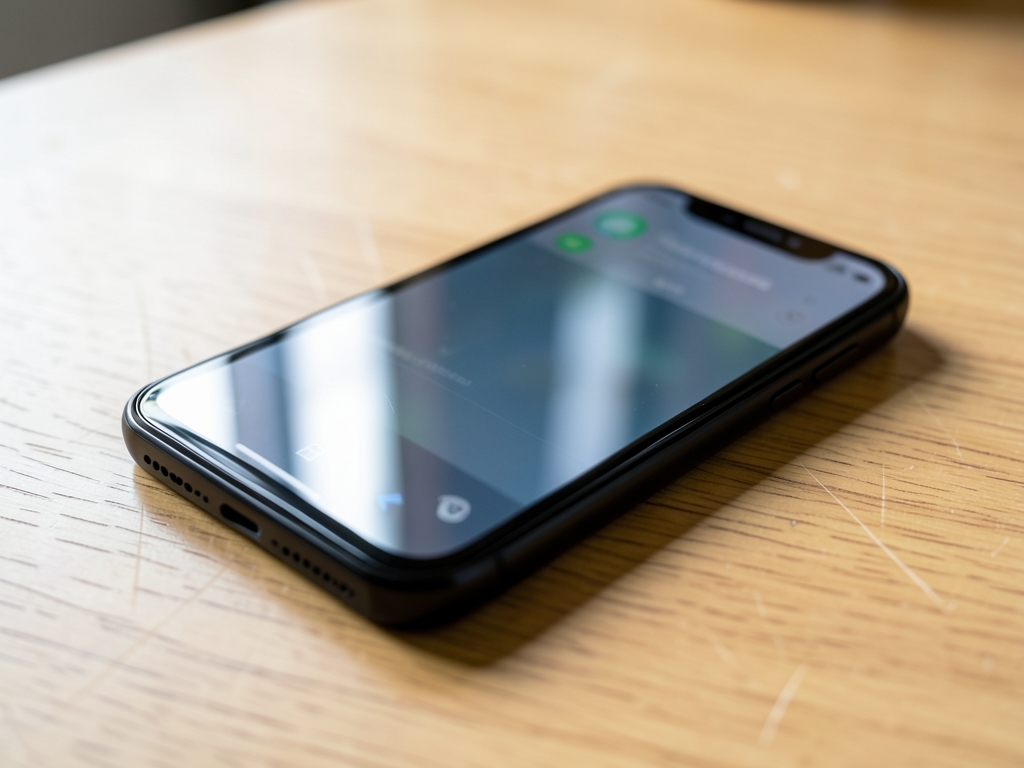
Buying a pre-owned or refurbished smartphone can be one of the smartest ways to secure a high-end device at a fraction of its original retail price. Whether you are hunting for last year's flagship model or upgrading a secondary line, the secondhand market offers incredible value for savvy consumers across Europe, the United States, and beyond. However, stepping into the pre-owned marketplace also introduces unique risks that do not exist when purchasing brand-new hardware straight from an authorized retailer. One of the most frustrating and financially damaging pitfalls for unsuspecting buyers is the previous owner's security lock. When a device remains tied to an unfamiliar Apple ID, Google account, or manufacturer security portal, it can quickly transform an expensive new purchase into an unusable paperweight.
Understanding how activation locks work, why previous owners sometimes fail to clear them, and how you can thoroughly inspect a device before exchanging any money is essential for anyone navigating the secondary phone market. Modern operating systems implement robust anti-theft mechanisms designed to protect users if their hardware is lost or stolen. While these features are undeniably valuable for overall ecosystem security, they present a major obstacle if a seller sells a phone without properly wiping and factory resetting it first. This comprehensive guide explores the mechanics behind previous owner locks, details the crucial steps you must take before paying for a used phone, and provides actionable advice on safeguarding your next transaction.
The Purpose and Mechanics of Smartphone Security Locks
To understand why locked used phones are such a persistent problem, it helps to examine why manufacturers implemented these security measures in the first place. For years, smartphone theft was a rampant global issue because stolen devices could easily be wiped and resold on the black market with minimal friction. To combat this, major technology companies introduced device-level security locks integrated directly into the operating system's setup wizard.
On Apple devices running iOS or iPadOS, this feature is known as Activation Lock, which is directly tied to the user's iCloud account and Find My network. When Activation Lock is enabled, anyone attempting to set up the device after a standard wipe must enter the exact Apple ID and password originally used to configure it. Without those credentials, the device cannot bypass the activation screen. Similarly, Android devices utilize Factory Reset Protection (FRP). Introduced by Google to protect Android hardware, FRP ensures that if a phone is factory reset outside of the device settings—such as through the recovery menu—the user must input the previously synchronized Google account credentials before gaining access to the home screen.
While these protocols successfully deter criminal activity and protect personal data, they create legitimate administrative challenges for the secondary market. If a seller forgets to sign out of their account, resets the phone improperly, or sells a device they do not actually own, the buyer inherits a locked phone that cannot be unlocked by anyone other than the original account holder.
Common Scenarios Leading to Locked Used Phones
Many buyers assume that encountering a locked phone only happens when dealing with malicious actors or stolen goods. While illicit sales certainly occur, a significant percentage of locked devices stem from simple oversight, poor communication, or technological illiteracy on the part of the seller.
- Improper Factory Resets: Many users attempt to clear their personal data by simply deleting photos and apps manually, or by performing a partial reset without signing out of their primary cloud account first.
- Ignorance of Ecosystem Rules: Casual smartphone users frequently do not realize that cloud-based locks remain active on Apple and Google servers even after the physical device has been wiped clean.
- Inherited and Estate Sales: Devices acquired from family members, estate sales, or corporate liquidation often retain legacy locks because the original owner is unavailable to provide the necessary password.
- Unpaid Carrier Installment Plans: Although distinct from cloud account locks, some secondhand devices arrive with carrier financing blocks or network blacklists, preventing cellular connectivity even if the operating system is accessible.
Essential Pre-Purchase Checklist for Used Phones
Protecting yourself from purchasing a locked or restricted smartphone requires diligence, patience, and a methodical inspection process. Never complete a secondhand transaction in a rush, whether you are meeting a seller in person or buying through an online classifieds platform. Follow this step-by-step verification process before handing over any payment.
- Power on the smartphone completely and check whether the device boots directly to the initial welcome or setup screen. If the phone opens straight to a locked home screen, ask the seller to unlock it in your presence.
- Navigate to the device settings menu and verify that no personal Apple ID, Google account, or Samsung account is currently signed in. The account section must be entirely blank or ready for a new user login.
- Perform a test factory reset directly within the device settings menu while the seller is present. This ensures that the phone is not hiding an enterprise management profile or a persistent cloud lock.
- Check the physical IMEI number by dialing *#06# and cross-reference it against public carrier blacklist databases to confirm the device has not been reported lost, stolen, or flagged for unpaid bills.
Warning! Never trust a seller who promises to log out of their account remotely later that evening. If the account is still attached to the device during the transaction, walk away immediately.
Examining Software Indicators and Carrier Restrictions
Beyond standard cloud account locks, prospective buyers must also investigate network carrier restrictions. Many smartphones sold through major telecommunications providers are tied to specific carrier contracts or subject to remaining financial balances. If a previous owner stops paying their monthly installment plan after selling the device, the carrier may blacklist the IMEI number, rendering cellular calls, text messages, and mobile data entirely useless.
To verify carrier status, check the cellular settings menu to see if the device displays carrier locks or SIM restrictions. For iPhones, navigating to Settings > General > About > Carrier Lock will display whether the device is locked to a specific provider or listed as having "No SIM restrictions." Always test your own active SIM card in the device during an in-person meetup to confirm that mobile data, phone calls, and text messages connect properly before finalizing the purchase.
| Check Type | What to Inspect | Red Flag / Warning Sign |
|---|---|---|
| Cloud Account | iCloud, Google, or Samsung profile status | Any active email address logged into the settings menu |
| Setup Screen | Initial boot sequence and welcome wizard | Device demands previous owner credentials during setup |
| IMEI Status | Global carrier blacklist and financial standing | Device flagged as lost, stolen, or tied to unpaid debt |
| Carrier Lock | Network restriction status in system settings | SIM restrictions enabled for an unpaid or locked carrier |
Taking the time to evaluate these digital checkpoints protects your hard-earned money and ensures that your new device functions seamlessly from day one. Buying secondhand is an excellent way to reduce electronic waste and save money, provided you remain vigilant against administrative locks.
What happens if I buy a used phone with an active activation lock?
If you purchase a phone locked to a previous owner's Apple ID or Google account without their credentials, the device cannot be set up or used. You will need the original owner to enter their password or remove the device from their online cloud account remotely.
Can a phone repair shop bypass a previous owner cloud lock?
Legitimate repair shops cannot and will not bypass manufacturer activation locks, as these security features are hardcoded into the device's secure enclave and server-side verification systems. Be extremely wary of anyone claiming they can permanently remove an activation lock for a fee.
How can I check if an Android phone has Factory Reset Protection enabled?
The easiest way to check for Factory Reset Protection (FRP) is to perform a factory reset through the phone's main settings menu while connected to the internet. If the device asks for the previous owner's Google account after rebooting, FRP is actively engaged.
Does checking the IMEI number guarantee the phone is free of locks?
Checking the IMEI number helps verify whether a phone has been reported lost, stolen, or blacklisted by a carrier, but it does not confirm the status of cloud account locks like iCloud or Google FRP. You must inspect the software settings directly to verify cloud account status.
Purchasing a pre-owned smartphone does not have to be a stressful gamble. By understanding how activation locks and factory reset protections operate, inspecting the device thoroughly before exchanging funds, and insisting on a complete factory wipe in your presence, you can secure a reliable mobile device safely and confidently.
